


Throughout the Scenic website you’ll see something we call the Route Listing Pod — it’s the block that shows an individual bus, coach, rail or ferry route.
What does it look like?
In the Scenic Listings Manager, your route listing pod is shown on your routes dashboard exactly as it appears to users on the public website.
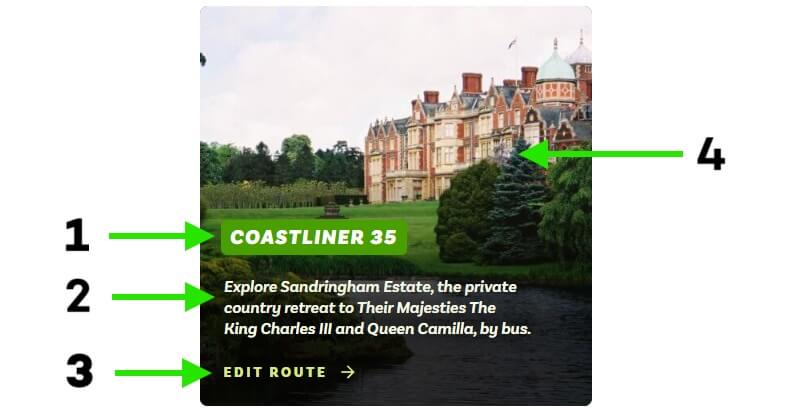
- Route brand or number
- Headline – a short description shown in the route listing pod and under the main image on your listing.
- Call to action — not editable. In the Manager it shows “Edit route”; on the public website it shows “View route”.
- Featured image – shown on the route listing pod and as the main image when viewing a listing.
Some routes have additional items — such as a marker for “Open top tour” — which you can control from within the Manager.
You can find out more about editing your route listing pod and the fields it contains in the Routes section of Scenic Docs.
Leave a Reply